Skip to content

FAB LAB BAHRAIN

grassroots collaborative creative making

  • Home
  • FabAcademy
    • Fab Academy
    • Fab Academy 2020
    • Fab Academy 2019
    • Fab Academy 2018
  • SPARK
  • Fab Lab
    • What is a FabLab?
    • The Fab Charter
  • Projects
  • Contact Us
  • Bookings
  • twitter
  • Instagram
  • github
Spark Tutorials

Connect the Microcontroller

Noor Suwaidanby Noor SuwaidanJune 13, 2024March 12, 2025

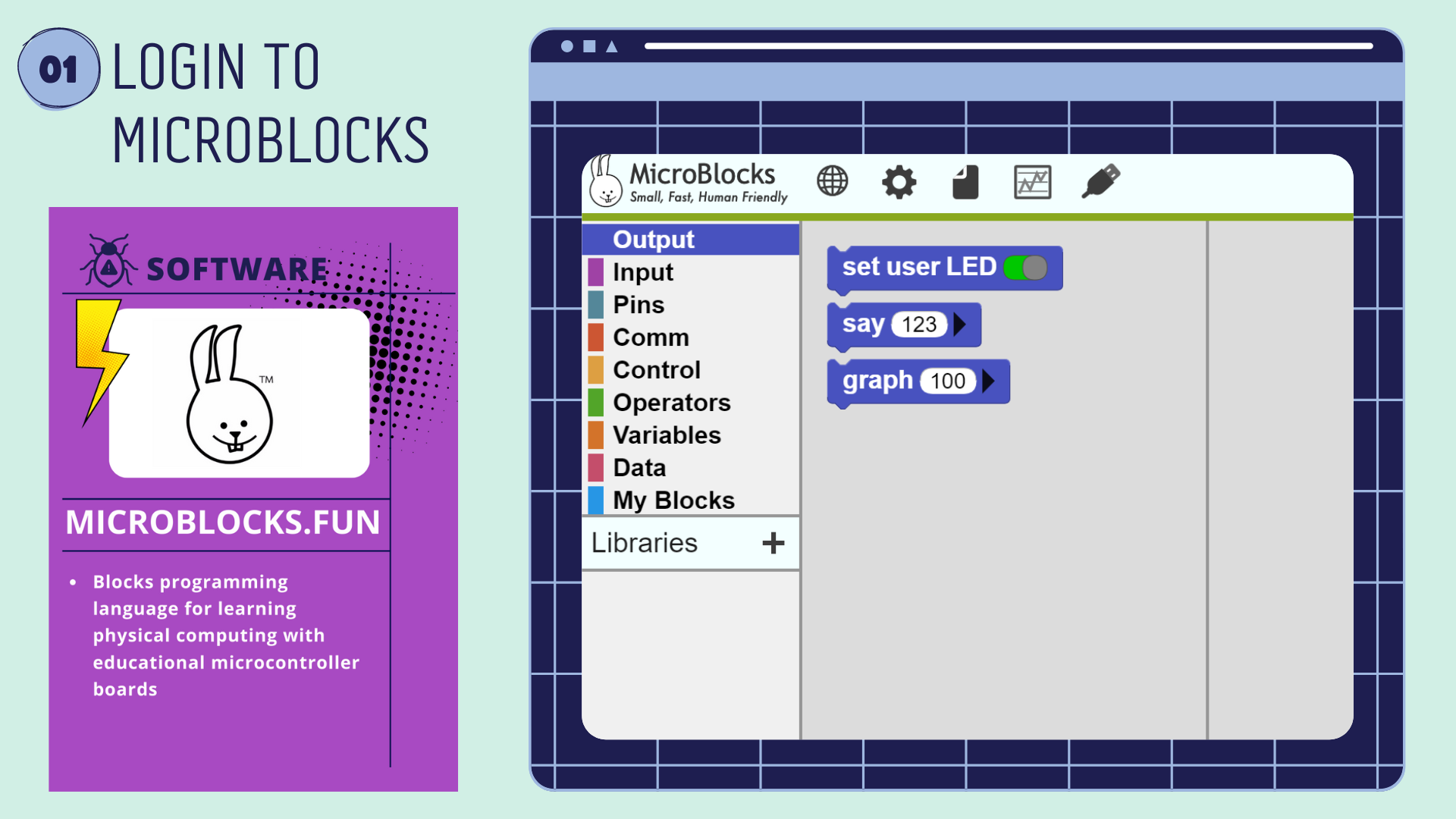
Login to Microblocks.fun
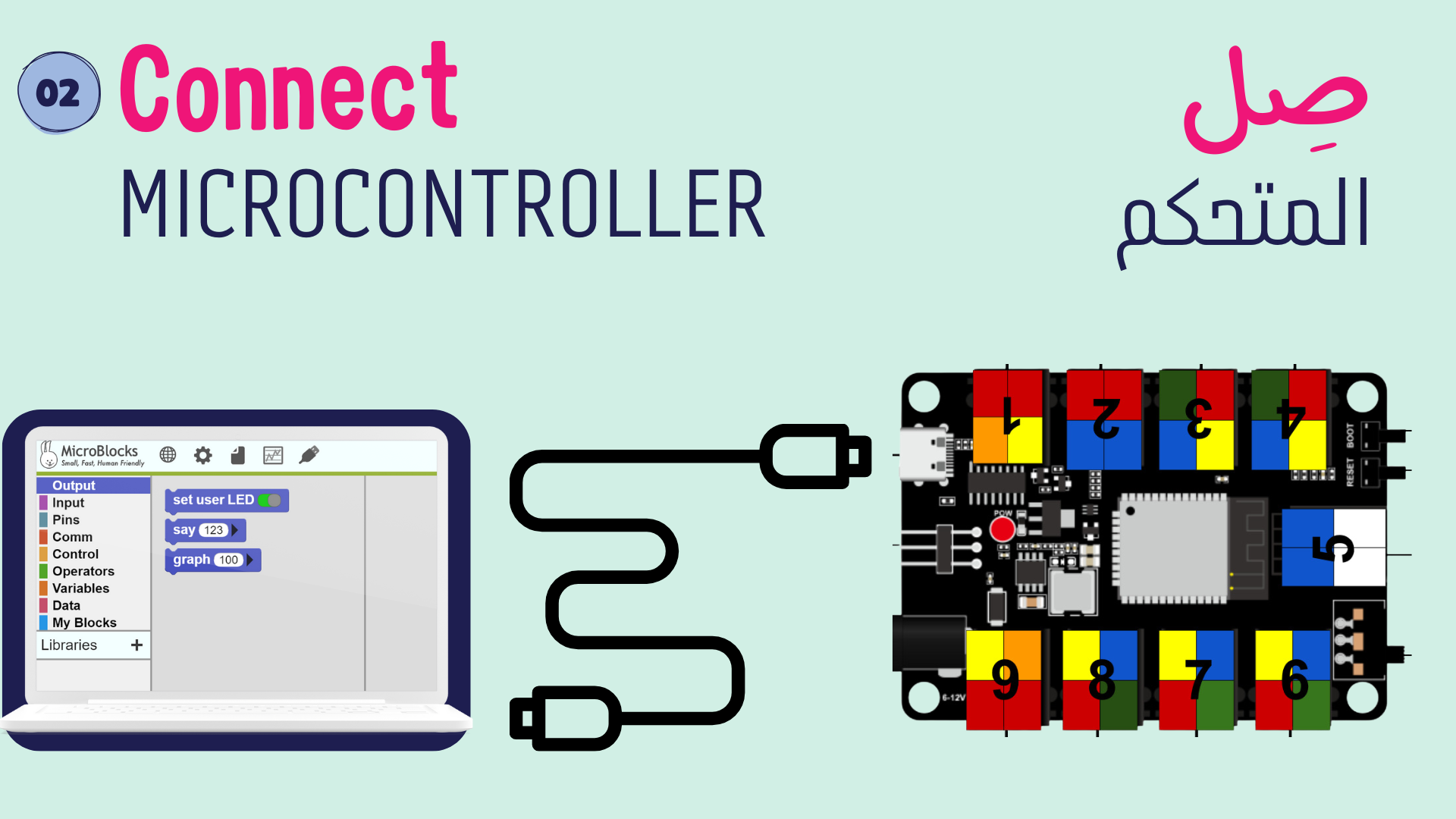
Connect microcontroller using USB-C cable

Did you get red light on the microcontroller?
Red light means the microcontroller is powered
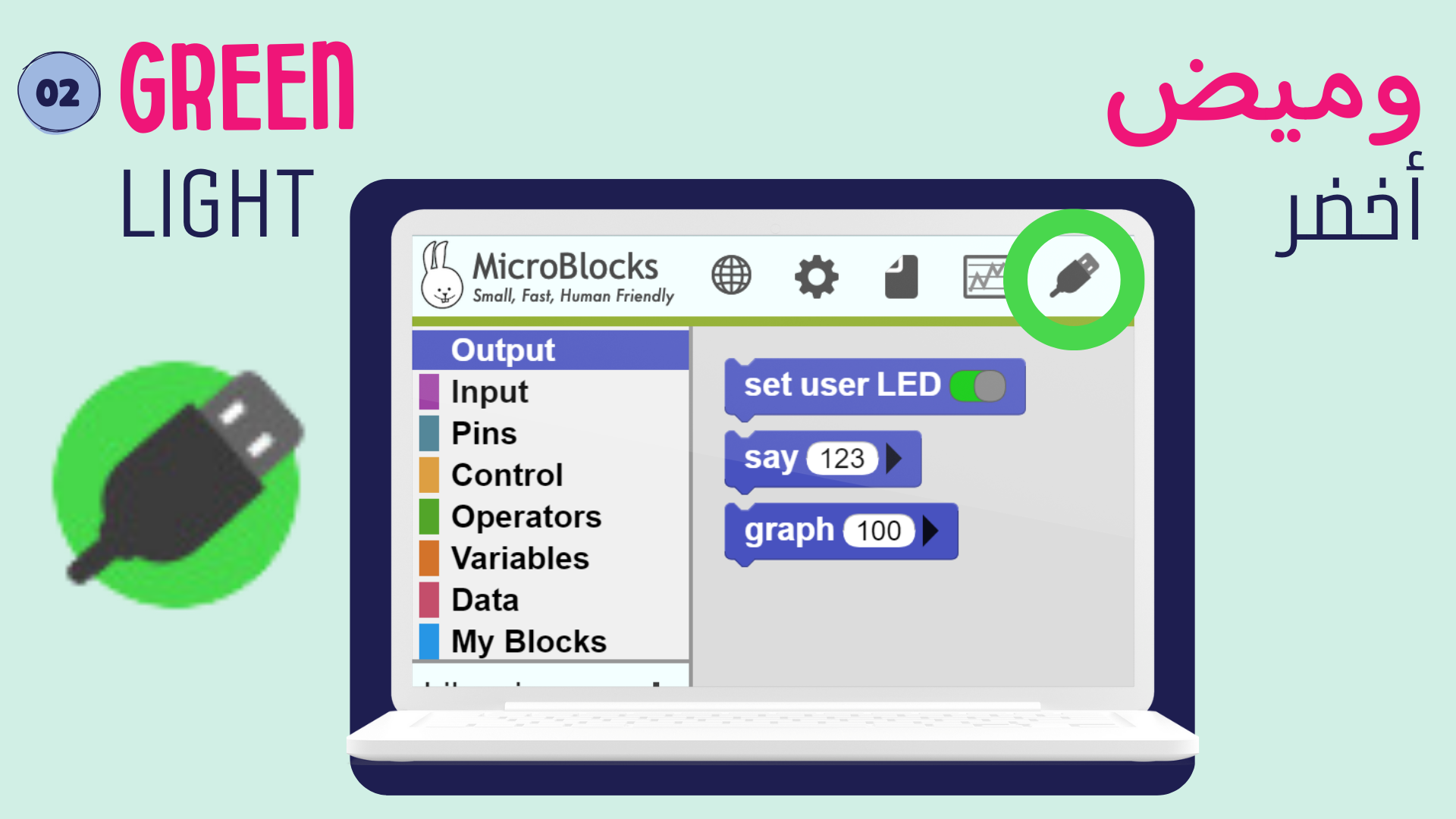
Try to get green light around the USB icon in Microblocks.fun
Green light means the microcontroller is connected

Share this:

  • Share on X (Opens in new window) X
  • Share on Facebook (Opens in new window) Facebook
Like Loading...
Tags: Spark

Post navigation

Previous Entry Fablab Bahrain’s After-School Program
Next Entry SPARK: Explore the Electronics

FAB LAB BAHRAIN

grassroots collaborative creative making

  • twitter
  • Instagram
  • github
  • twitter
  • Instagram
  • github
Create a website or blog at WordPress.com
  • Reblog
  • Subscribe Subscribed
    • FAB LAB BAHRAIN
    • Already have a WordPress.com account? Log in now.
    • FAB LAB BAHRAIN
    • Subscribe Subscribed
    • Sign up
    • Log in
    • Copy shortlink
    • Report this content
    • View post in Reader
    • Manage subscriptions
    • Collapse this bar
 

Loading Comments...
 

    %d